

Disable MailChimp double opt-in
You can configure MailChimp Auto-Subscribe to not send a confirmation e-mail through MailChimp to your new subscribers by disabling the Double Opt-in Option.
To do that navigate to the plugin's "Settings" Tab as shown in the screenshot below and click "No" for Double optim
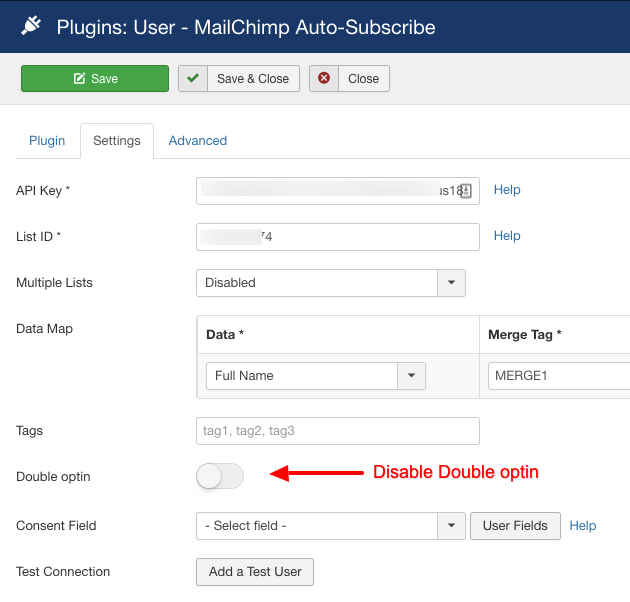
Of course don't forget to click "Save" once you're done!
Last updated on Nov 26th 2024 12:11

Tassos offers a premium suite of Joomla extensions with 6 products and over 1.7 million downloads, providing reliable solutions since 2014.


 Rated:
Copyright © 2014 - 2026 - Smile Motive Development LP. All Rights Reserved.